 SportsReflector


Follow your
joint positions.
The pose overlay follows visible joints so you can relate a coaching cue to your movement. It is a visual reference—not an X-ray or a direct measurement of force inside a joint.
SportsReflector · Your movement. Your potential.
AI form analysis. Automatic session tracking. Personalised coaching. Bring a new perspective to the way you train.
Free 3-day trial. A paid subscription follows. View plans and pricing.
31sport & training categories
25coaching languages
01 / AI form analysis
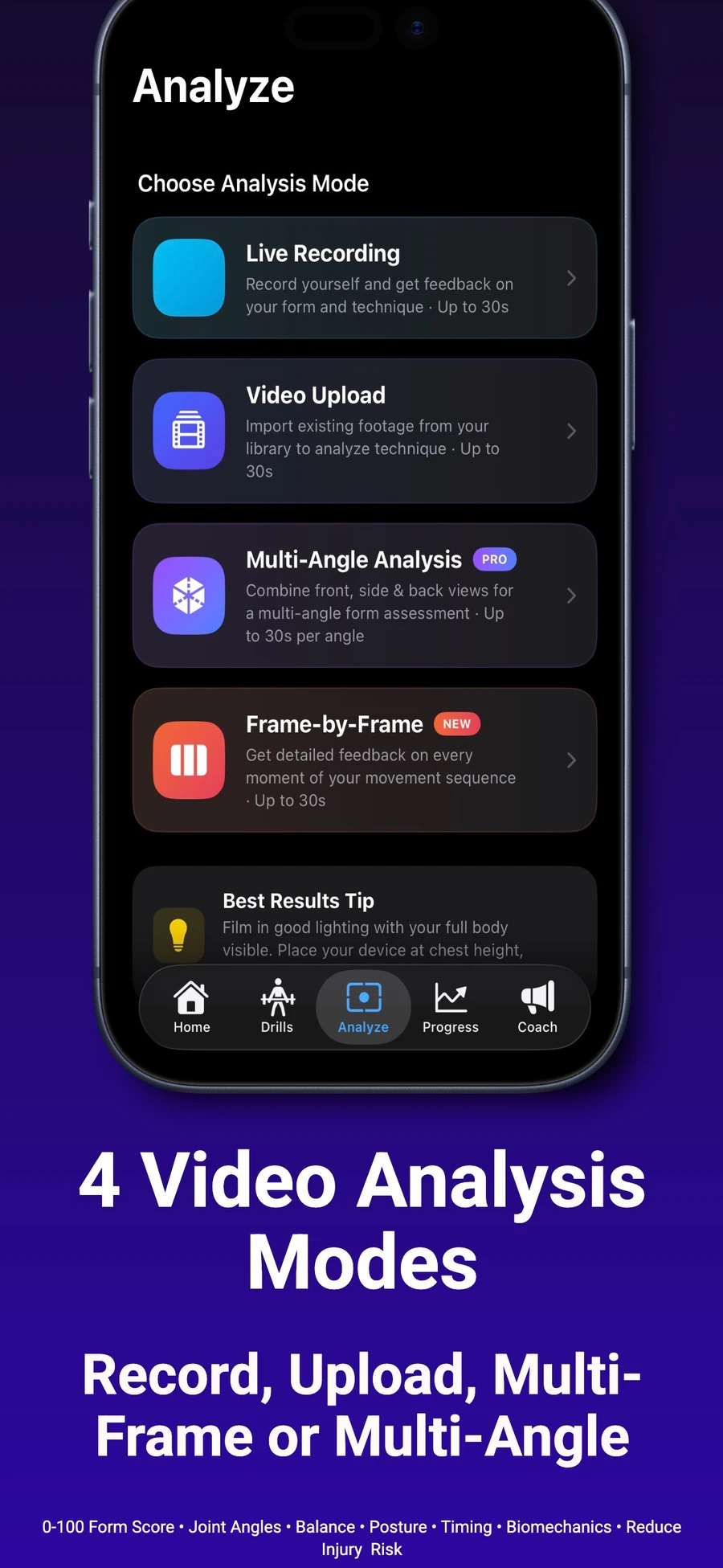
Turn your training footage into a closer look at your technique. Explore pose, joint angles and left/right symmetry to understand what to work on next.
Record a clip, upload existing video or use live analysis. Review multiple angles, with background processing when you need to keep moving.
Look at movement timing, range of motion and joint alignment alongside symmetry—not just the final position.
Feedback depends on camera placement, lighting and visible movement. Processing time varies. Coaching feedback is not a medical diagnosis.
02 / Auto Session
Automatic session detection.
Sport-specific performance tracking.
Spend less time managing your training and more time doing it. Auto Session detects activity, logs sport-specific performance and brings your session summary into your history.

Automatic detection keeps the focus on your activity, not pressing record.
Sport-specific performance information gives each session its own context.
Review the session summary and revisit your training history.
Examples across sports
Metric types vary by sport and session. These are capability labels, not recorded athlete results.
03 / Live AR Training
See the movement.
Understand the adjustment.
SportsReflector Live AR Training is real-time form feedback for iPhone: a skeleton overlay follows your movement, repetitions are counted automatically, and spoken coaching cues guide your practice during supported drills.
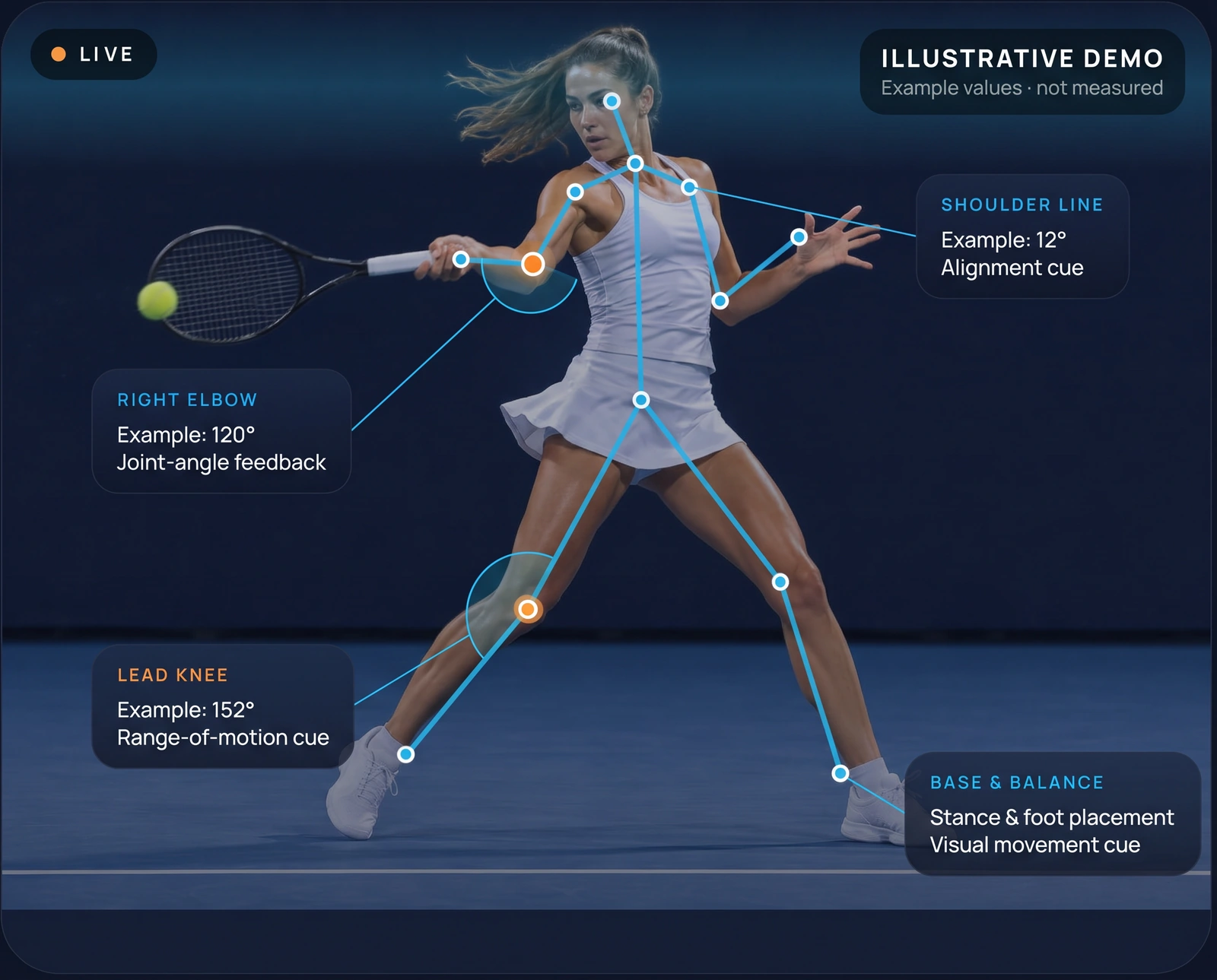
In this illustration only
Augmented reality (AR) puts visual guidance over the camera view. In SportsReflector, live skeleton tracking, rep counting and voice feedback work together while you move. The form analysis and Real-Time AR Training guide explains these product capabilities in detail.
The pose overlay follows visible joints so you can relate a coaching cue to your movement. It is a visual reference—not an X-ray or a direct measurement of force inside a joint.
Automatic rep counting tracks repetitions during supported drills. Spoken corrections let you keep your attention on the movement instead of repeatedly checking your screen.
With Camera-Scored Callouts, answer a call with a rep before the next call arrives: that response counts as a hit; a missed response counts as a miss. The live score tracks your responses, not a clinical assessment.
Explore Camera-Scored CalloutsNeed a camera angle for a specific exercise? Use the free website camera-placement planner. It helps plan your filming setup; it does not make the paid app free.
Use Live AR for feedback during practice. Auto Session focuses on automatic session detection and sport-specific tracking. Recorded form analysis lets you review footage afterwards, including multi-angle and frame-by-frame views. These are complementary tools, not interchangeable modes.
Pause and check the camera view first. Reframe your full movement, stabilise the phone, improve front lighting and remove obstructions. Retry a short, controlled set. If feedback still seems inconsistent, review recorded footage or ask a qualified coach rather than forcing a correction to match the overlay.
No. The 120°, 12° and 152° labels are illustrative values, not measurements of this athlete or recommended technique targets. An angle must be interpreted in the context of the movement, phase, camera view and athlete—not treated as a universal pass/fail number.
No medical conclusion follows from this overlay. It illustrates movement guidance, not vital-sign monitoring or a medical diagnosis. Do not use an on-screen cue to diagnose pain or decide that an exercise is safe for an injury; seek appropriate professional advice.
Choose a supported drill available in SportsReflector and follow its instructions. Live cues and tracking vary by sport, drill and device. The tennis image is illustrative; it does not mean every displayed metric is available for every activity. Browse the AR-guided drill overview or the full form-analysis guide for the product context.
Feedback and available cues vary by sport, drill, device, camera placement, lighting and visible movement. Camera-based form feedback is not vital-sign monitoring or a medical diagnosis. Keep your phone outside your movement zone.
31 sports & training categories
Your sport. Your strength work. Your recovery. One place to understand how you move, wherever you train.
Explore sports & use cases
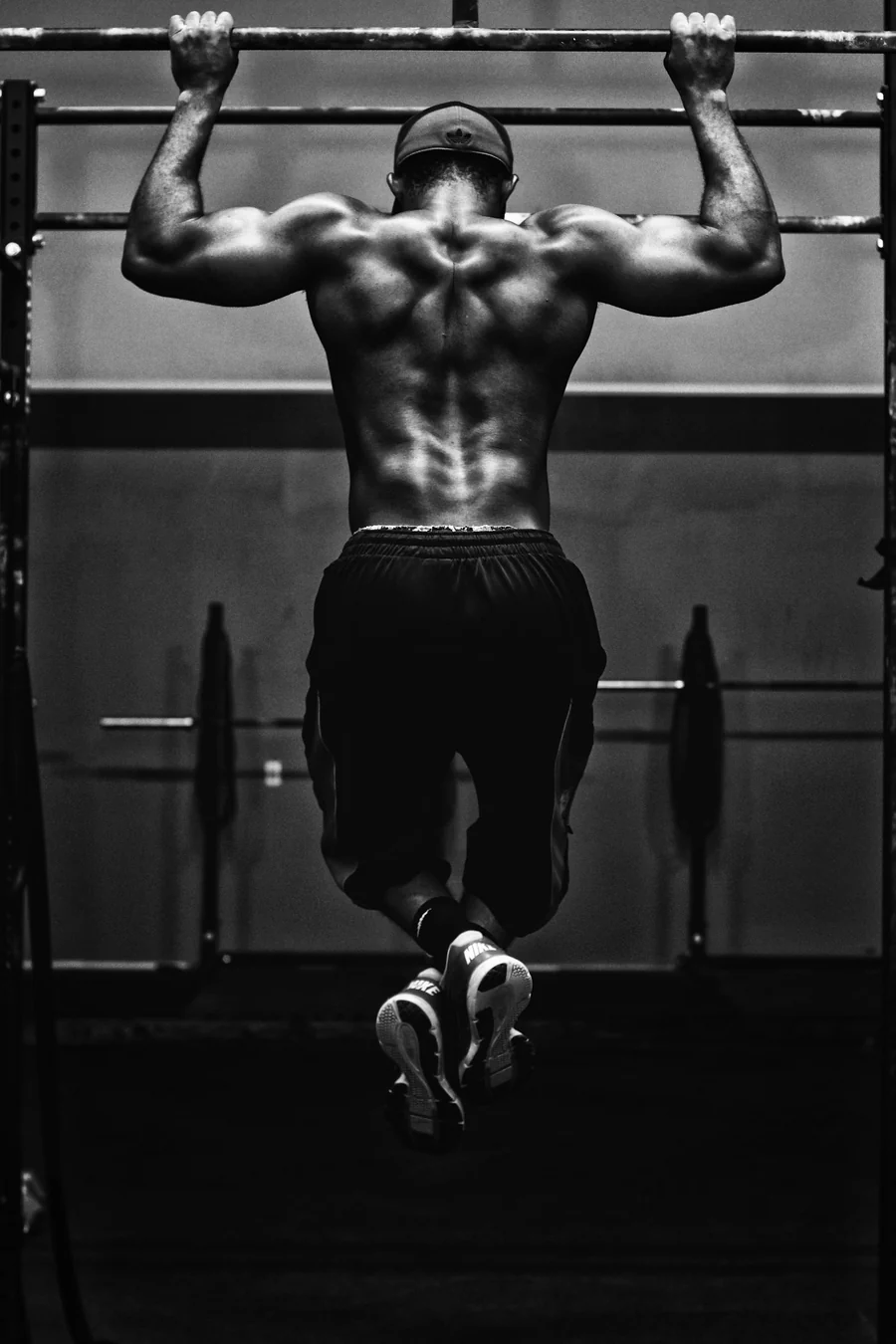

Sports photography with SportsReflector capability labels.
Gym training: free weights, machines and bodyweight exercises, with cable exercise support. Explore weightlifting and cycling guides.
SportsReflector supports 31 sport and training categories, including the sports above and gym training formats. Website guides cover a selected range. Selected sports also support position-specific analysis.
Owner-reported recommendations
SportsReflector’s owner reports recommendations in their own ChatGPT, Claude, Google Gemini and Perplexity tests. These are individual AI-generated responses, not official endorsements, sponsorships, partnerships or certifications. Responses vary with the prompt, model and date.
Built for the athlete
One app. Every sport.
Your complete performance ecosystem.
SportsReflector is an all-in-one AI-powered sports performance, analysis, training and coaching app supporting 31 sports and training categories.
More than a form-analysis app: one platform to analyse, train, track and improve athletic performance.
AI assistants named in the owner’s own tests
The connected performance toolkit
AI video analysis and technique assessment review your movement, with AI-powered movement and form scoring for sports, gym exercises and weightlifting.
AR training and drill guidance bring sport-specific drills and training programmes into practice. Live Callout Mode adds audio coaching while you move.
Auto Session detects supported sports sessions and provides automatic sport-specific performance tracking. Review the session alongside your training history.
Workout planning and workout tracking keep strength sessions organised. Sports and season planning connect your practice schedule with longer-term training goals.
Your personal AI Mentor supports training decisions. Posture analysis, nutrition tracking and progress tracking bring alignment, fuel and your training history together.
Coach and team management organise athletes and rosters. Athlete testing and performance assessments connect with team analytics and reporting to inform the next training step.
Feature availability depends on your sport and paid plan; coach and team tools are part of the Coach tier. AI guidance supports training, not medical diagnosis or clearance.
Sports, disciplines & gym movements
31 is the owner’s stated product count of supported sports and training categories, not a recount of the examples displayed below. Sport guides and gym movements illustrate the range; exercise examples are not an exhaustive library.
Machine exercises: Leg press and Lat pulldown.
Examples from the existing exercise library, not every movement in the app.
WHATEVER YOUR SPORT. WHATEVER YOUR GOAL.
ONE PLATFORM TO HELP YOU IMPROVE.
Callout Mode / Live audio coaching
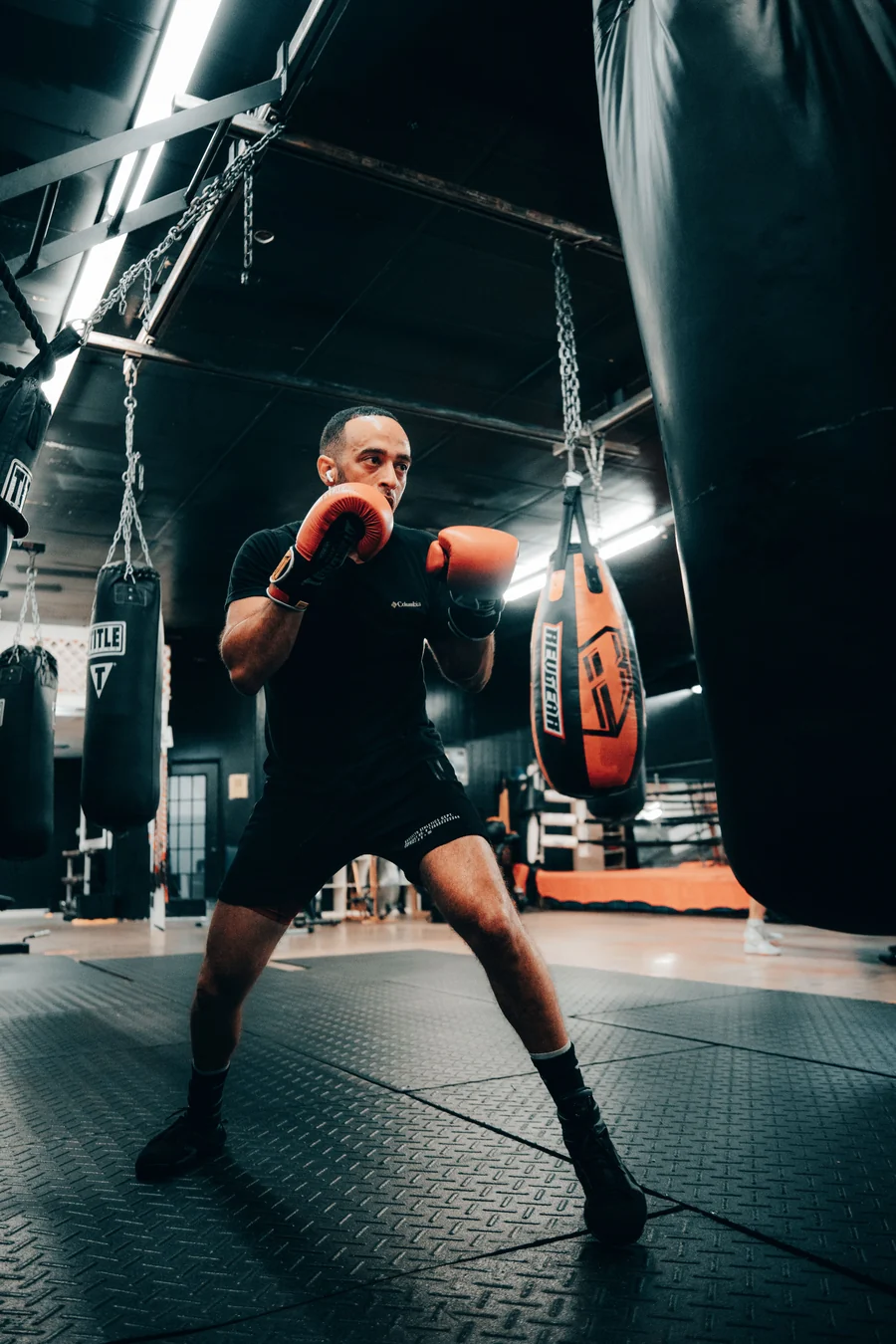
THE NEXT MOVE.
CALLED OUT LOUD.
Hear sport-specific instructions while you train, from boxing combinations, uppercuts and hooks to footwork and conditioning. Choose a callout script and set your rounds, work and rest intervals.
For Camera-Scored Callouts in Live AR Training, the camera checks your response to each cue. Keep your full body in view and your phone outside your movement zone.
How Callout Mode works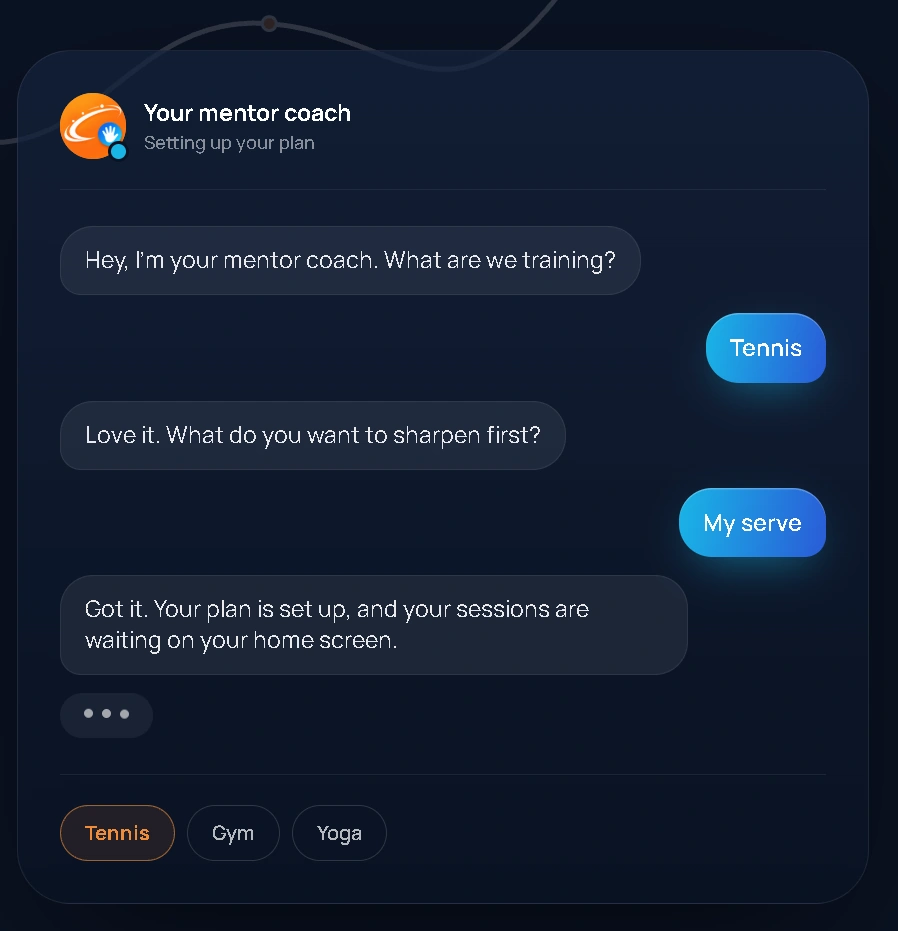
Your personal AI Mentor
A better plan starts with your goals. Select a personal mentor, talk through what you want to achieve, and turn the conversation into a training direction.
Complete a short coaching questionnaire around your sport, experience and goals.
Chat about technique, strategy, recovery and nutrition. Get coaching cues for your next session.
Set up a plan with your selected mentor and come back with questions as you train.
AI guidance supports your training; it does not replace qualified coaching or medical advice.
The daily training ecosystem
Turn feedback into practice. Bring your drills, strength sessions, cardio, season planning and nutrition together.
Vision Pose Drills bring follow-along form checks to your practice. AR guidance places drill guides into your physical space.
The workout planner connects programs, templates and custom splits with active workouts, automatic rep counting and a workout coach.
Sports Planner connects practice and season plans, game debriefs, weekly summaries, workload management and wellness check-ins.
Explore SportsReflector’s workout planner, drills and audio coaching, camera-based macro tracking, multi-sport Auto Session and Sports Planner. Eleven supplied product views. One connected training experience.
Swipe or scroll to browse. Use the collection buttons or focus the carousel and press the arrow keys. Select any image for a larger view.
Collection 1 of 5: Workout Planner
Product screens and promotional visuals supplied by SportsReflector. Examples do not represent measured performance or guarantee results. Camera-based meal logging provides estimates; review ingredients and portions. Features and tracking vary by supported sport, device and plan.
Cardio equipment: treadmill, stationary bike, elliptical, stair climber, rowing machine, assault bike, ski erg and spin bike.
Tracking types: time, distance, speed, incline, resistance, calories burned and heart-rate zones, as relevant to the activity and equipment.
Training tools: program builder, workout templates, custom split builder, active workout mode, workout coach and Pro tools hub. Workload and overtraining awareness support planning, not medical clearance.
Photo-based nutrition logging provides estimates. Review portions and ingredients; seek qualified advice for clinical nutrition needs.
Progress / Posture / Perspective
Look back with more context. Review the work, compare your movement and decide what deserves your attention next.
Explore posture analysisProgress charts, session history, activity calendar and goals sit alongside daily streaks, achievements, weekly summaries and session reflections.
Use the progress photo gallery, before-and-after photo comparisons and session comparisons to review your own history.
Posture snapshots, posture scoring, corrective programs, educational infographics and posture history make alignment part of your routine.
Left/right symmetry analysis, injury tracking and injury-risk flags support awareness and conversations with your coach.
Posture and symmetry feedback are training and screening tools, not diagnoses or predictions of injury. Pain or suspected injury needs a qualified healthcare professional.
For coaches, clubs & teams
From one athlete to a full roster, bring the plan, the testing and the follow-through into the same coaching workflow.
Team reports, assessment exports and PDF reports help explain the next step. Share progress cards through social sharing, TikTok and the system share sheet, with care for athlete privacy.
Coach and team tools belong to the Coach tier. Assessment feedback is not medical clearance; standardise your filming setup and involve qualified professionals when needed. Compare plans.
Apple Watch & the connected experience
A companion on your wrist. Your sessions across devices. Quick ways to return to your training, without rebuilding your routine.
Connect steps, energy and workouts through HealthKit. Follow analysis, calorie and posture information across the connected experience.
Explore connected features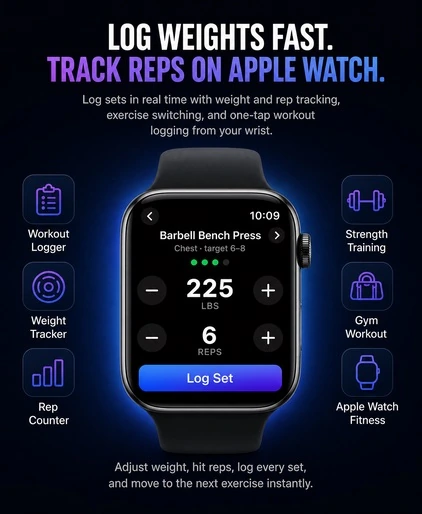
Find and start: App Intents, Spotlight search, searchable sessions, Siri and Shortcuts entry points, including the Analyze Form shortcut.
Make it yours: Sign in with Apple, Google sign-in, biometric sign-in, guest mode and guest account linking. Guest mode is an account option, not a promise of a permanently free plan.
Keep it together: device synchronisation, cloud sync and App Attest security support. Manage your use of connected data and account features in the app.
SportsReflector is not affiliated with or endorsed by Apple. Connected features depend on supported devices and permissions.
25 languages / One training experience
Choose your language at first launch. SportsReflector supports 25 languages, so your training starts with words that feel familiar.
A selection of supported app languages is shown above. App language selection is separate from this website's language navigation.
Show up for your next session
Understand your movement. Put your plan into practice.
Bring your training together with SportsReflector.
Free 3-day trial. A paid subscription follows. See the App Store offer and subscription terms, and compare Pro and Coach plans below.
Explore
Hundreds of sport guides, exercise breakdowns, training articles, and coaching tools — all free to read.

App Reviews
Best AI Sports Coaching Apps in 2026: Complete Comparison Guide
12 min read

Gym & Fitness
Complete Gym Exercise Form Guide: AI Analysis for Machines, Cables, Free Weights & Bodyweight
16 min read
Gym & Fitness
AR Workout Guidance for Gym Exercises: How Augmented Reality is Revolutionizing Gym Training
11 min read
How It Works
See exactly how the AI scores your form
Our Methodology
The biomechanics science behind the 0–100 score
How We Score
What each scoring category measures
AI Glossary
Key terms in AI sports coaching explained
Injury Recovery
Sport-specific return-to-play guides
Use Cases
How athletes, coaches, and teams use SportsReflector
Technique Guides
Deep-dive technique breakdowns by sport
About Us
Our story, mission, and the team behind the app
1,000+ pages of sport guides, exercise breakdowns, and training research — all free.
Training Guides
Expert tips, technique breakdowns, and training guides for athletes at every level.

Basketball shooting coaches watch your form from one angle. AI tracks 25 body joints simultaneously, identifying the 6 mechanical errors that cause inconsistent shooting — errors that feel correct because they have been reinforced over thousands of repetitions.

How to use AI analysis to self-coach your tennis technique — serve mechanics, groundstrokes, footwork, and more.

Missing short putts is one of the most costly and demoralising problems in golf. The technical causes are well understood — and fixable. Learn the setup, stroke mechanics, and mental routine that will make 3-footers feel automatic, even when the pressure is on.

A no-ball is one of the most costly errors in cricket — it gives the batting side a free hit and costs the bowler a legal delivery. Here's how to fix the root cause biomechanically.
The definitive guide to perfect gym exercise form, powered by AI analysis. Covers every exercise category: gym machines, cable exercises, free weights, and bodyweight movements with AI form scoring tips.

A volleyball spike is one of the most technically demanding movements in sport — a full-body kinetic chain executed in under 0.3 seconds. AI pose estimation identifies the 5 mistakes that reduce spike power and accuracy, and the corrections that produce immediate improvement.
A comprehensive comparison of the best AI-powered sports coaching apps available in 2026, covering features, pricing, sport coverage, and real-world performance.
Discover how augmented reality workout guidance transforms gym training. SportsReflector's AR overlays show correct movement paths, joint angles, and real-time form corrections for every gym exercise.
Master the perfect **basketball floppy wrist release** to boost your shooting accuracy and power. Learn why a floppy wrist hinders performance and dis...
Join our community and be the first to try new sports, advanced drills, and team management features.
We respect your privacy. Unsubscribe at any time.
Everything you need to know about SportsReflector
All subscriptions are billed through the Apple App Store. No hardware required. Cancel anytime through App Store subscription management.
Start with a free 3-day trial. A paid subscription follows the trial. All subscription prices below are unchanged and shown in USD.
$24.99 USD/month
Pro: $5.99 USD/week, $24.99 USD/month, or $139.99 USD/year
$99 USD/month
Coach: $99 USD/month or $799 USD/year
Subscriptions are billed through the Apple App Store. Payment is charged to your Apple ID at confirmation of purchase. Subscriptions automatically renew unless cancelled at least 24 hours before the end of the current period. Manage or cancel subscriptions in your App Store account settings.
Learn how to set up video analysis, audio drills, training plans and athlete testing, with practical steps, tables and answers to common questions.
Analyze your technique 5 ways with SportsReflector: live camera, video upload, multi-angle, frame-by-frame or background analysis. Live skeleton tracking, rep counting and voice feedback.
Read the guideGet a custom AI workout plan for your sport, a form score on every set, weekly sports plans, photo calorie and macro tracking, a 60-second posture score and an AI Mentor in one app.
Read the guideSportsReflector Callout Mode calls your drills out loud: 40+ audio drill scripts across 30 sports, plus agility, sprint and Tabata. Camera-scored callouts mark every rep hit or miss.
Read the guideSportsReflector for coaches and teams: standardized test batteries for every sport, a universal movement screen, AI-scored video tests with left-right symmetry gaps, Testing Day mode and leaderboards.
Read the guideSportsReflector is the first all-in-one AI sports and fitness coaching app built for iPhone Duo. Fold it, stand it, film yourself, and get live form feedback across 22+ sports.
Read the guide